Inspect Smarter, Scale Faster
Book it, drive to it, inspect it on your phone, then send the report and get paid. Field work on the phone, office work on the web.
- Book and schedule
- 8 tools in one camera
- Report and get paid
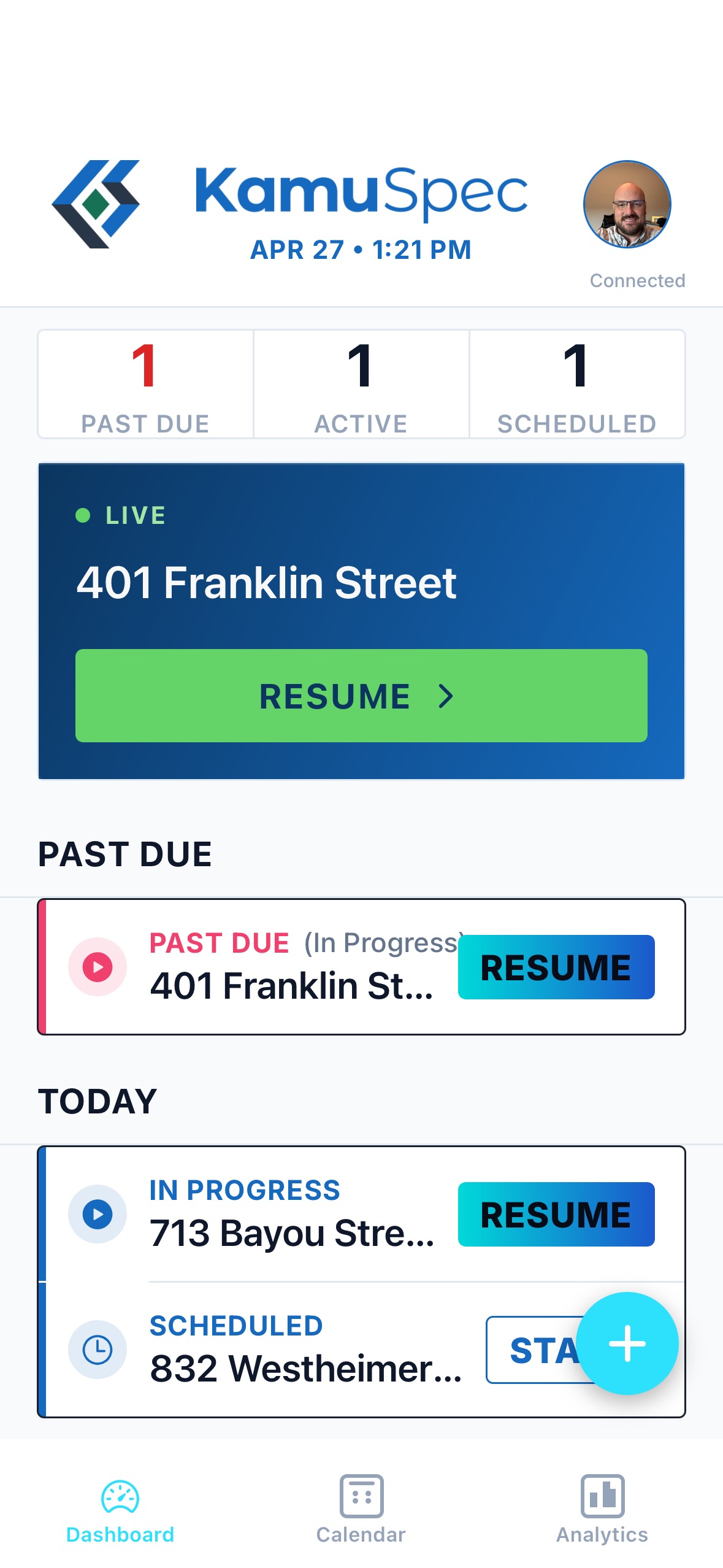
The whole inspection, in one place.
How do you work?
One inspector, the whole job.
- Step 1
Book it
Type the address and the job builds itself.
Web- Square footage, year built, beds, baths and stories filled in from public records
- Type the agent's TREC license number and their name and brokerage fill in
- Your own services, packages and prices
- Only offers times you can make, counting the drive from your last job
- Confirmation emails to the buyer and the agent, with your logo
- Step 2
Plan the day
Know how long you'll be there and how you'll get there.
WebPhone- How long you'll be onsite, estimated from the home's size, age, stories and add-ons
- Decide whether a 9:00 job means you're at the door at 9:00, or leaving home at 9:00
- One tap for directions in Apple Maps or Google Maps
- The weather from the nearest National Weather Service station, logged in the report
- Step 3
Inspect
Capture it once; most findings file themselves.
Phone- Eight tools in one camera
- Film it and say what you see; the finding is written up for you
- No signal? Everything saves on the phone and uploads when you're back in range
- Step 4
Report
Written up section by section. Signed by you.
PhoneWeb- Inspected, Not Inspected, Not Present or Deficient for every item, with numbered deficiencies
- Preview the report exactly as your client will see it before you sign
- Sign and publish from the phone or the web
- Step 5
Deliver and get paid
The report goes out, and the invoice goes through your own Stripe account.
Web- One email with the PDF attached and a link to the report online
- Clients and agents sign in with one tap and follow the job from booked to published
- Invoices are paid into your own Stripe account. KamuSpec takes no cut.
Run your next inspection on KamuSpec.
Download the app for the field work, and sign in on the web for the schedule and the money.


One camera. Eight tools.
Pick a mode, take the shot, keep moving. Readings are stamped on the photo, and findings file themselves into the right TREC section, or wait for you when it isn't sure.
Everything you capture saves on the phone first, so a dead zone never costs you a photo. KamuScan write-ups and data plates finish when you're back in range.
Photos and narration
- REPORT COVER
Report cover
Snap the front of the house and it becomes the report cover. Already have a good shot? Pick it from your photos.
- REF PHOTO
Reference photo
Extra photos for the record. No write-up: you choose the section and add a caption.
- KAMU SCAN
KamuScan
Hold the shutter, film the problem and say what you see. It writes up the finding and files it to the right TREC section, or asks you when it isn't sure.
- DATA PLATE
Data plate
Snap the nameplate and the make, model, serial and year are filled in for you to confirm. You're warned about CPSC recalls, and the report shows the unit's age against its typical life.
Measurements and drawings
- SLOPE
Slope
Set the phone on a roof, stair, floor, deck or the yard. The angle is stamped on the photo, and a too-flat roof, a too-steep stair or grading toward the house is written up as a deficiency.
- FLOOR LEVEL
Floor elevation
Sketch the floor plan and enter your elevation meter's readings. It finds the high and low points, the total difference and which way the floor falls, and adds the survey to the Foundations section.
- DELTA-T
Temperature difference
Log temperature points alongside your thermal camera photos. Measure the A/C supply and return split, or an oven or water heater against its setting, and it calculates the spread and files the finding in the section. Attic and wall insulation readings are logged too.
- WDI/PESTS
Termite (WDI)
Draw each structure, add measurements and mark active, previous and conducive findings on the job.
Reports you can defend.
Measured, not guessed
A slope reading is printed into the photo and into the report exactly as measured. The drafting never rewrites a number.
Every section states its facts
Verdicts, numbered deficiencies, and General Observations that carry the specs and data-plate details you captured.
It drafts. You sign.
You review every section before you sign, and it won't guess a cause your evidence doesn't show.
Actual Screenshots. No Vaporware.
This is the software as it ships today.
Capture in the field
Three findings (a wall crack, a dead smoke detector, and moisture at an HVAC vent) captured and drafted in one pass.
Built alongside Houston inspectors.
KamuSpec was built alongside a working Houston inspection company. We refined it in attics, crawlspaces, and driveways. Every feature has to work on a real inspection day before it ships.
every section, every requirement
alongside a working Houston firm
the field on your phone, the business on the web
Run your next inspection on KamuSpec.
Download the app for the field work, and sign in on the web for the schedule and the money.